Case Study 02
Totango — Role-Driven
Portfolio Redesign
Transforming a one-size-fits-all Customer Success dashboard into a modular, widget-based system adapted for every CSM role — reducing support tickets by 85% and cutting adoption time in half.
What is Totango?
Totango is a SaaS platform that empowers CSM teams and managers to design and build customer success journeys — from onboarding to renewal — so they can measure performance, scale operations, and proactively prevent churn before customers disengage. A self-service platform that makes customer success approachable for businesses of any size or industry.
Main Goal
Unify the platform for all CSM roles with a modernized, smoother user experience and consistent onboarding and adoption flow — reducing support load and feature requests while increasing CSAT and customer advocacy.
As Lead Designer, I partnered with PMs to modernize the design system, improve usability across CSM roles, and design a streamlined experience based on user research — all within limited engineering resources.
Two compounding problems
01
Adoption Drift
Letting users set their own homepage created inconsistent entry points. Many skipped the intended "My Portfolio" flow, leading to confusion, lower adoption, and a flood of support tickets and off-track feature requests.
Affected: CSMs, Engineers, New users
02
Fragmented Needs, Unscalable Demand
CSMs work in diverse contexts — from enterprise teams handling one account to SMB CSMs managing regions and overlapping roles. The current experience wasn't adaptable, driving ongoing feature requests and rising support load.
Affected: Enterprise, Regional, Cross-functional CSMs
"I manage over 40 client accounts, each at a different stage. I need quick visibility into risks and progress, not a generic overview."
Arjun Mehta, Mid-Market CSM — Revio CRM
"My homepage is cluttered with data I don't use. Can we make widgets or sections customizable per user?"
Ilay Bernand, SMB CSM — Cloudly
Mapping CSM role diversity
Conducted qualitative interviews and workflow observations across industries and company sizes to map how different CSM roles operate — identifying key patterns and pain points driving the redesign.
-
Enterprise CSM Lead (SAP) — Needs single-account focus; current view adds noise for global clients managing multiple teams
-
Mid-Market CSM (Revio CRM) — Needs scalable visibility and prioritization; managing 40+ accounts with no quick risk overview
-
SMB CSM (Cloudly Analytics) — Needs customizable views; generic dashboard isn't actionable for varying client types
-
Regional CSM Manager (Siemens) — Needs regional segmentation; filtering irrelevant regions wastes time and slows performance tracking
Competitive benchmarking across leading SaaS dashboards revealed a clear pattern: short onboarding or role-query auto-generates a tailored workspace. Users can add, remove, or resize widgets. The best systems evolve through ongoing testing and data-driven adjustments.
Step 01
Scope Definition — Why "My Portfolio" First
"My Portfolio" is the primary landing page every CSM interacts with daily. It contains account health, tasks, risks, and notifications in one view — and connects to all key areas of Totango. Starting here ensured immediate value and a strong foundation for scaling the widget system across the platform.
Step 02
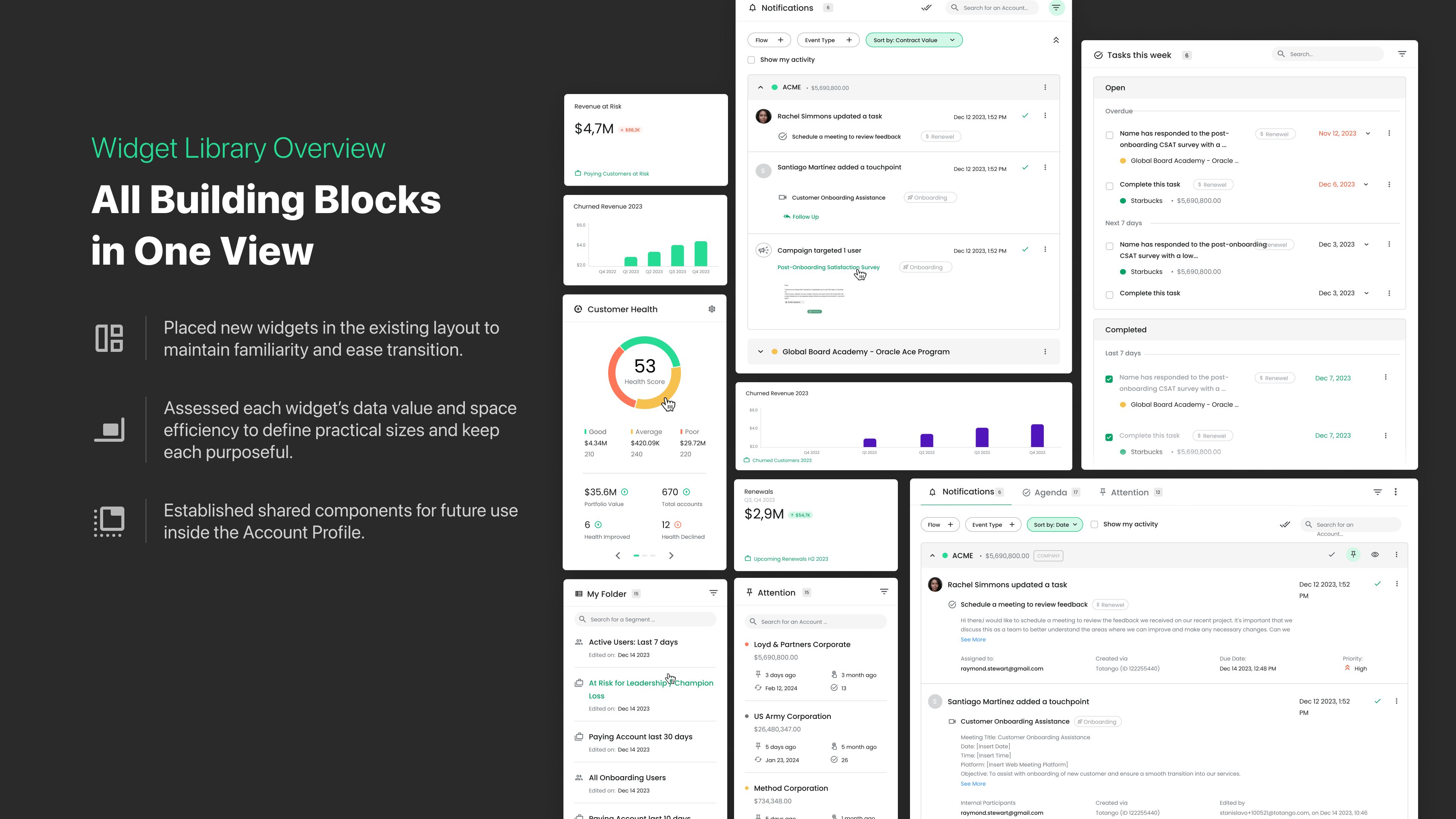
Widget Library — Building Blocks in One View
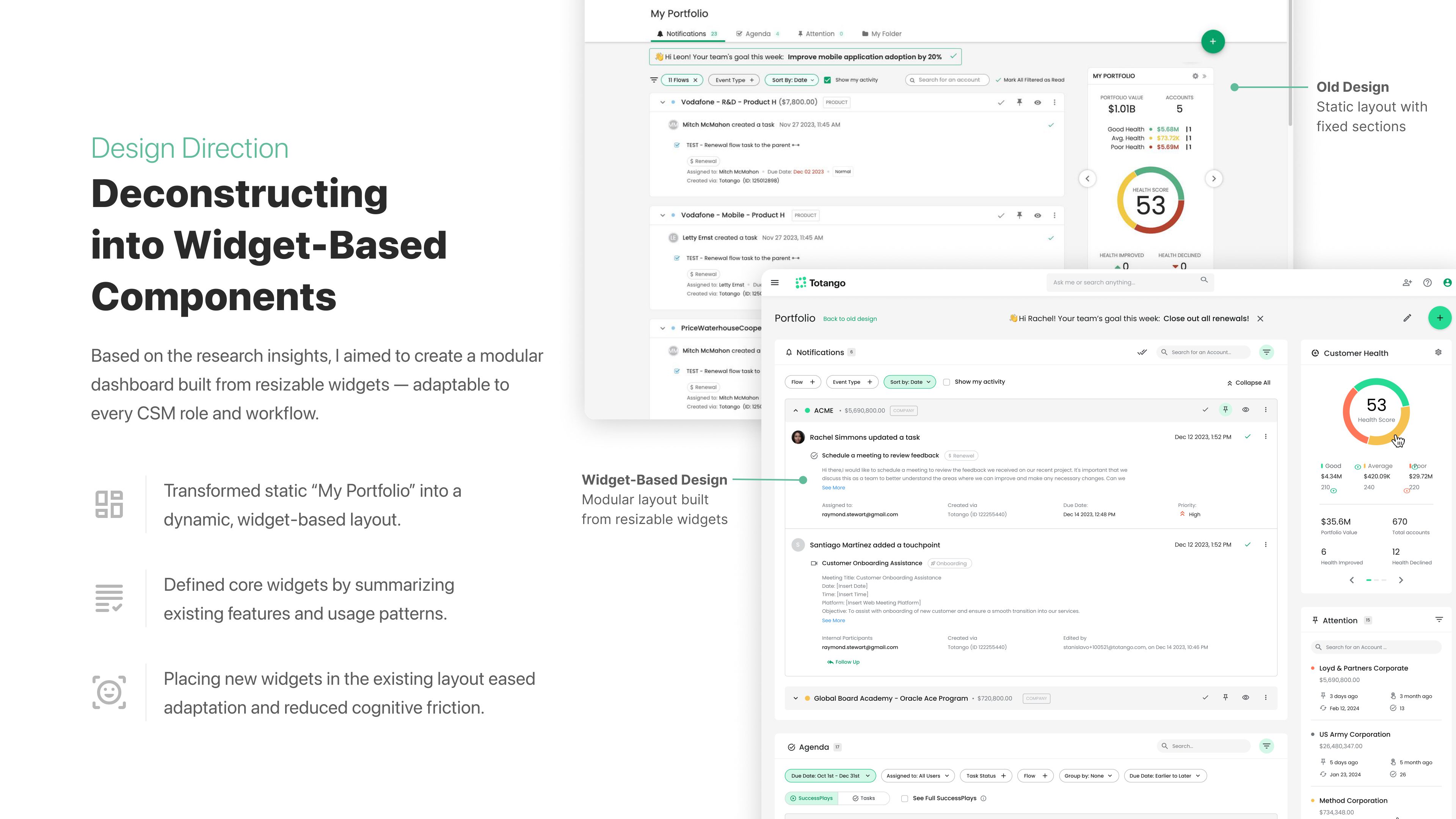
Transformed the static "My Portfolio" into a dynamic, widget-based layout. Defined core widgets by summarizing existing features and usage patterns. Placed new widgets within the existing layout to ease adaptation and reduce cognitive friction. Each widget was assessed for data value and space efficiency to keep every element purposeful.
Step 03
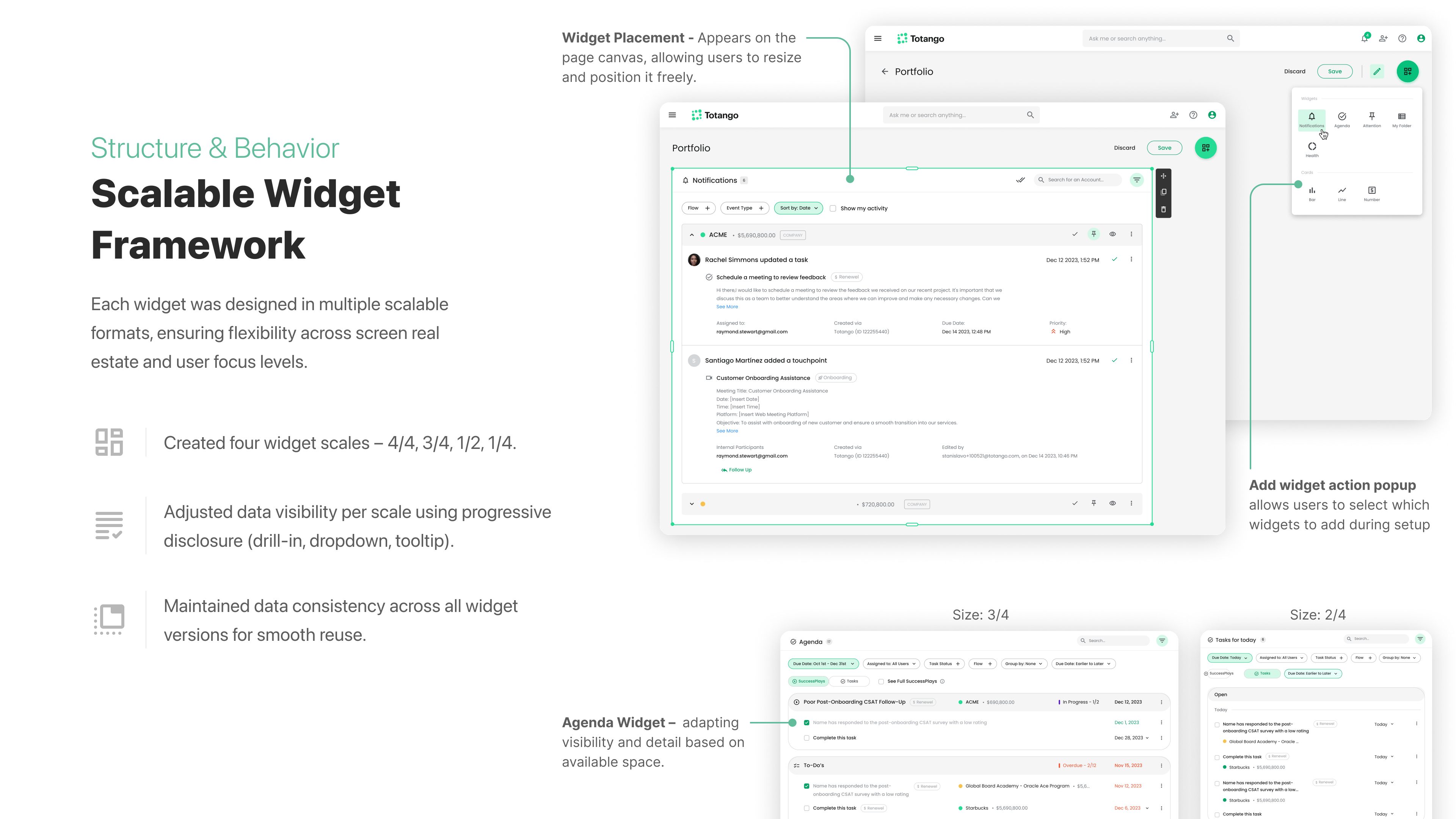
Scalable Widget Framework
Each widget was designed in four scalable formats — 4/4, 3/4, 2/4, 1/4. Progressive disclosure adjusts data visibility per scale (drill-in, dropdown, tooltip), while data consistency is maintained across all versions for smooth reuse. Shared components were established for future use inside Account Profile pages.
Step 04
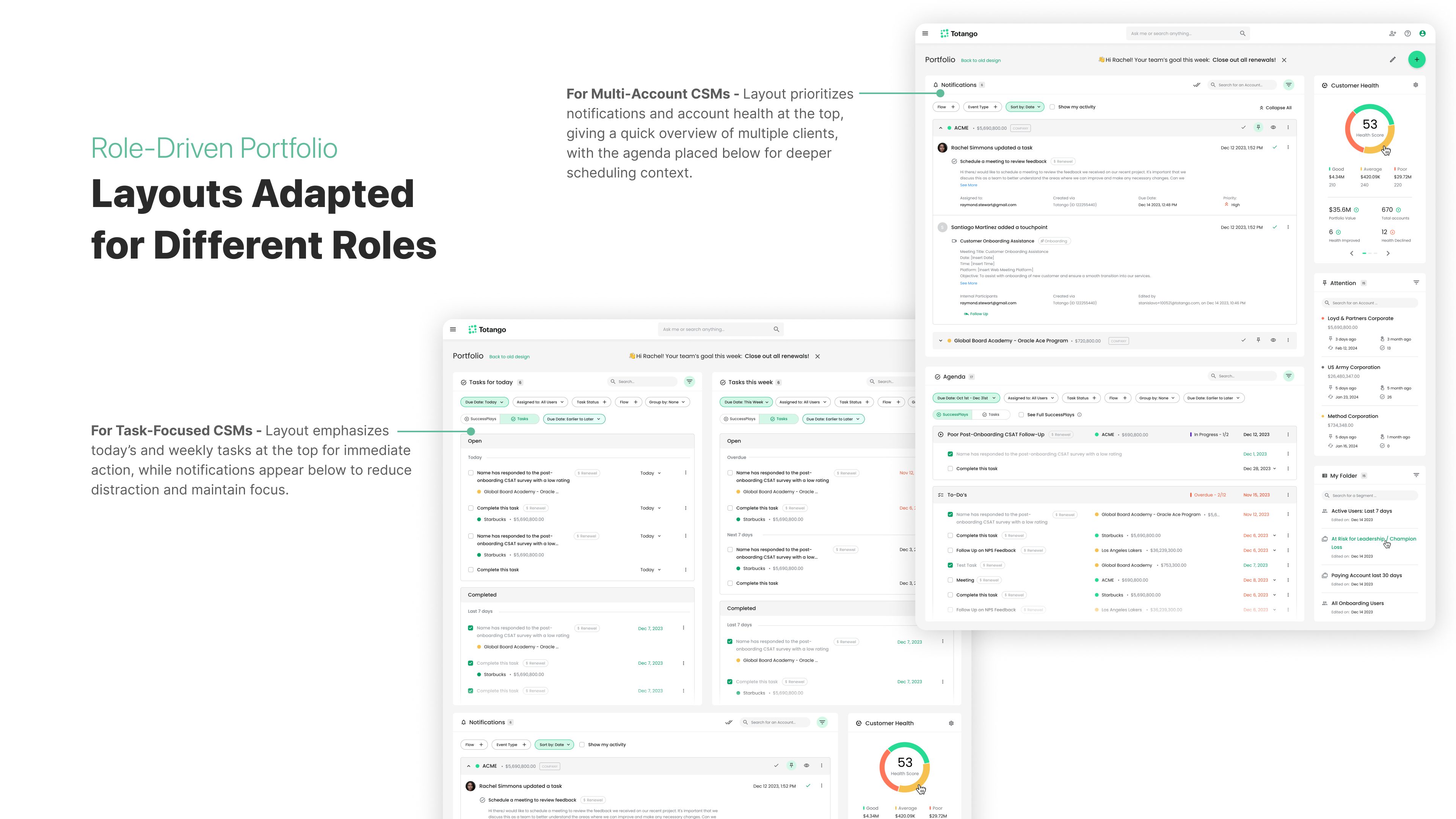
Role-Driven Portfolio Layouts
The same widget system adapts to different CSM roles automatically. For Multi-Account CSMs, the layout prioritizes notifications and account health at the top. For Task-Focused CSMs, today's and weekly tasks are emphasized for immediate action, with notifications placed below to reduce distraction.
Impact & achievements
The same widget components were reused inside the Account Profile page, reducing engineering effort and implementation time.
−35%
Reduction in new-user adoption time
−85%
Fewer support tickets
~50%
Decrease in implementation time via widget reuse
4.6
CSAT score for the new "My Portfolio" experience